Key Takeaways
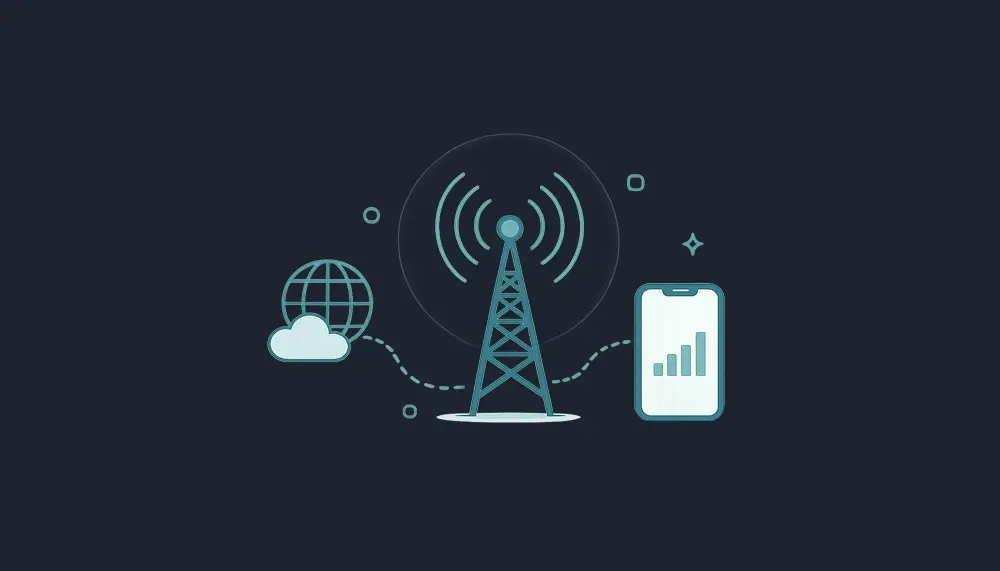
Cellular data is the internet your phone uses when you’re not connected to wi fi. It comes from a cellular network of cell towers, not a wireless router, and it’s what keeps maps, messages, apps, and browsers running on the go.
- cellular data and mobile data usually mean the same thing: phone data sent through 4G LTE or 5G wireless networks.
- Wi‑Fi uses a local network from a router; cellular data works anywhere inside your carrier’s coverage area.
- data usage is typically measured in MB and GB, so knowing how much data your apps use helps you choose the right data plan.
- Vouch Mobile offers contract‑free unlimited talk, text, and data on AT&T’s 5G network, powered by Reach Mobile, starting at $25/mo with annual billing.
What Is Cellular Data?
Cellular data, also known as mobile data, is the distribution of digital data through wireless networks, allowing devices to access the internet without a wired connection. Cellular data works by connecting your mobile device to nearby cell towers, which transmit data wirelessly so you can browse, stream videos, use google maps, access emails, and receive data from most apps.
Mobile data plans typically offer a set amount of data measured in gigabytes (GB) that users can access each month, with most plans starting at a minimum of 1GB. Cellular data is typically measured in megabytes (MB) and gigabytes (GB), with most mobile data plans offering a specific data allowance each month; 1 GB equals about 1,000 MB. As you move, your phone connects from one tower to another through automatic handoff, so your cellular connection keeps running smoothly.
Cellular Data vs. Mobile Data
In the U.S., people usually say cellular data or cell data. In the U.K. and many Android devices, you’ll often see mobile data in the settings app or phone’s settings.
For everyday use, the terms are interchangeable. Technically, mobile data can also include hotspot use, where your phone shares internet connectivity with another cell phone, laptop, or tablet.
Cellular Data vs. Wi‑Fi
Wi-Fi connects devices to the internet through a router linked to a cable service, while cellular data connects devices to the internet via cell towers operated by mobile carriers. Wi‑Fi has a limited range and depends on a wi fi signal from a local hub like your home, office, school, or coffee shop.
Cellular data provides internet access almost anywhere with a mobile network signal, while Wi-Fi has a limited range and requires proximity to a router. Using wi fi at home for HD streaming, app updates, and backups can save data from your mobile data allowance. On the road, cellular data is better for navigation, messaging, and staying online when no wi fi network is available.
Using cellular data is generally more secure than public Wi-Fi networks, which can be vulnerable to hackers, making cellular data a safer option for sensitive transactions. Cellular data also offers encryption for secure data transmissions.

How Cellular Data Works (3G, 4G, 5G & Beyond)
Cellular communication involves a grid of overlapping cells, each containing at least one tower to enable seamless transitions as users move. Your phone sends a request to the nearest tower, the mobile provider routes it through its network, and the internet sends the information back.
The capabilities of cellular data depend on the network generation, which includes standards like 3G, 4G LTE, and 5G. 3G was the first mobile internet generation but has largely been phased out globally due to slow speeds. 4G LTE provides high-speed internet suitable for web browsing and standard video streaming. 5G adds more capacity, lower lag, and better performance for video calls, online gaming, work apps, and large downloads.
In 2026, U.S. service mainly runs on 4G LTE and 5G; AT&T shut down 3G in 2022, and older 3G-only phones no longer work on modern networks. Vouch Mobile runs on AT&T’s nationwide 5G and LTE network through Reach Mobile.
What Uses Cellular Data on Your Phone?
Any app that connects to the internet can increase cellular data usage, even when you are not looking at it. Common uses of cellular data include web browsing, communication, media streaming, navigation, and app updates.
Common drivers include:
| Activity | Approximate data consumption |
|---|---|
| Web browsing on mobile devices | around 50 MB per hour, more on pages with large images and videos |
| Social media apps | approximately 50 MB per hour |
| TikTok or video-heavy social media | around 600 MB per hour |
| Streaming music | about 50–150 MB per hour |
| Standard definition video | about 1 GB per hour |
| HD video | about 3 GB per hour |
| 4K video | up to 7.2 GB per hour |
Light online activities like checking emails consume minimal data, whereas heavy activities like streaming high-definition video consume data quickly.
Background Data & Hidden Usage
Background data is data used when individual apps are not open on screen. Email sync, social feeds, cloud backups, notifications, high resolution photos, and automatic app updates can all use phone data quietly.
To manage your data usage effectively, you can restrict background data for apps, preventing them from consuming data while not in use, which can help you stay within your data limits. Disabling background data for apps can help conserve cellular data, as many apps continue to use data even when not actively in use. This can also improve battery life.
How Much Data Do Common Activities Use?
If you’re asking how much mobile data you need, start with your habits. Streaming video content can consume a significant amount of data, with high-definition (HD) streaming using about 3 GB per hour and 4K streaming using up to 7.2 GB per hour. Streaming video in high definition can consume up to 3 GB of data per hour, while standard definition uses about 1 GB per hour, making it essential to limit streaming quality when using cellular data.
One hour of HD video every weekday can use roughly 60 GB in a month. A few hours of social media with autoplay each week can add several more GB. That’s why how much cellular data you need depends less on messages and more on video, hotspot, and downloads.
How Much Mobile Data Do You Really Need?
The average mobile data usage for smartphone owners is around 2GB to 5GB per month, but this can vary significantly based on individual usage habits.
- Light users: 2–5 GB for messages, access emails, maps, and light browsing.
- Average users: 10–20 GB for social media, streaming music, web browsing, and some video.
- Heavy users: 30+ GB or an unlimited plan for hotspot, video calls, gaming, and daily streaming.
Before choosing a data plan, check the data you’ve used over the last two or three billing cycles.
Understanding “Unlimited” Data vs. Data Caps
Unlimited data usually means no hard data limit and no surprise overage charges. Speeds may still slow during congestion after heavy use, and video may be optimized to standard definition.
Capped plans, like 5 GB or 15 GB, may slow, stop, or require more payment when you hit the data allowance. Data plans can vary widely, with options for limited data, unlimited data, and pay-as-you-go plans, allowing users to choose based on their internet usage needs.
Vouch Mobile keeps plan details clear: unlimited talk, text, and data, with hotspot included and plan terms listed upfront.
Data Plans, Roaming & Coverage Basics
A mobile data plan is your agreement with a carrier for internet access each month. It may include a data allowance, an unlimited structure, or pay-as-you-go billing.
Coverage matters just as much as price. Vouch Mobile uses AT&T’s nationwide 5G and LTE network through Reach Mobile, with 97% U.S. population coverage. You can review Vouch’s plans and coverage before switching.
What Is Data Roaming & Cellular Data Roaming?
Data roaming means your phone uses another carrier’s network when you’re outside your provider’s normal coverage area. Cellular data roaming is common during travel, especially outside the U.S.
Domestic roaming may be included or limited. International data roaming can lead to unexpected charges unless you have an international data plan, travel eSIM, or local SIM card. Turn off data roaming before traveling abroad unless you know your plan includes it.
How to Check Your Cellular Data Usage
Monitoring your mobile data usage is crucial to avoid unexpected charges and make the most of your data plan, and you can check your usage directly from your phone’s settings or through your provider’s app. Carrier data is usually the final billing source, but your phone gives a useful running estimate.
Checking Data Usage on iPhone
Open Settings > Cellular or Mobile Data. Look for Current Period, then review usage by app.
You can turn cellular data off for specific apps that use too much data. Reset statistics on your billing date so the current period matches your plan cycle.
Checking Data Usage on Android
On most android devices, open Settings > Network & Internet or Connections > Data usage. Menu names vary, but you can usually view app usage, choose a billing cycle, set data limits, and enable Data Saver.
A warning can alert you before you hit your cap. A hard limit can turn off mobile data automatically.
Checking Usage Through Your Carrier
Your carrier account or app shows official usage. With Vouch Mobile, customers can check usage, plan details, and billing through their online account, with US‑based support if something looks off.
Smart Ways to Reduce Mobile Data Usage
You may not need more data. Often, a few small changes help you use less data without changing how you use your phone.
Use Wi‑Fi Whenever It Makes Sense
Using Wi-Fi whenever available is one of the easiest ways to save cellular data, as it allows you to connect to the internet without using your mobile data allowance. To save cellular data, it’s recommended to connect to Wi-Fi whenever possible, especially for data-intensive activities like streaming videos or downloading large files.
Use trusted Wi‑Fi for backups, app updates, and big downloads. For banking or private work on public Wi‑Fi, use a VPN or switch back to cellular data.
Limit Background Data & Auto‑Play
Turn off background refresh for nonessential apps. Disable autoplay in social media apps, especially TikTok, Instagram, Facebook, and YouTube Shorts.
This saves much data and keeps your phone running smoothly. It also reduces surprise spikes in mobile data usage.
Control Streaming Quality & Downloads
Streaming media can quickly consume your cellular data, so it’s advisable to limit streaming quality in app settings to save data, such as switching from HD to standard definition. Download playlists, podcasts, and episodes while using wi fi before trips.
A single 4K movie can use a large chunk of many monthly plans.
Watch Hotspot Usage & Large Updates
A hotspot lets other devices use your phone’s cellular data to connect to the internet. Laptops often burn through data because they sync files, update software, and stream at higher quality.
Vouch Mobile includes hotspot on its plans, but it’s still smart to watch large operating system updates, game installs, and cloud sync when tethered.

When & Why to Switch Data Plans or Carriers
Switch if you pay for data you never use, hit your cap every month, or pay $65+ for a plan that feels too complex. Track your mobile data usage for two or three cycles, then compare it with your bill.
Vouch Mobile offers unlimited talk, text, and data starting at $25/mo with annual billing. Prices include taxes and fees. Available while offer lasts. Powered by Reach Mobile on AT&T’s network.
Why an MVNO Like Vouch Mobile Can Save You Money
An MVNO, or Mobile Virtual Network Operator, leases access from a major network instead of building towers. Vouch Mobile is an MVNO powered by Reach Mobile on AT&T’s network, which helps reduce overhead and pass savings on.
That means no credit check, no contracts, simple pricing, eSIM activation on compatible phones, and the same AT&T towers for a fraction of the price. If you want Wireless Without Barriers, start by checking whether Vouch fits your coverage and data needs.
FAQs
Exact menu names may vary by device and software version, but the ideas below apply to most phones and plans.
Should I leave cellular data on all the time?
Most people can leave cellular data on because phones automatically switch between Wi‑Fi and mobile data. Turning it off may save data and battery, but notifications and app refreshes can be delayed. If you’re on a tight plan, leave it on for essentials and disable it for streaming apps.
Is cellular data safer than public Wi‑Fi?
Yes, cellular data is generally safer than open public Wi‑Fi because carrier networks use encryption and are harder for casual attackers to intercept. Public Wi‑Fi in a coffee shop, airport, or hotel can be risky. For banking, shopping, or private work, use cellular data or a VPN.
Why is my mobile data slow even though I have bars?
Bars show signal strength, not available network capacity. Slow data can come from congestion, an older phone, plan thresholds, maintenance, or interference. Try toggling airplane mode, restarting your phone, testing another app, and checking your plan details.
What happens if I use more data than my plan includes?
On limited plans, using more than your allowance can cause overages, shutdowns, or slow speeds. On many unlimited plans, data keeps working, but speeds may slow during congestion. Vouch Mobile’s unlimited plans avoid surprise per‑GB overage fees, with network management details shown in plan terms.
Why do some websites show security checks before loading?
Some sites use a security service for performing security verification before allowing access. You may see messages about malicious bots, security verification, verification successful, or even instructions to respond ray id if support needs to review the request. This is separate from your carrier plan and usually relates to the website protecting itself.