Key Takeaways
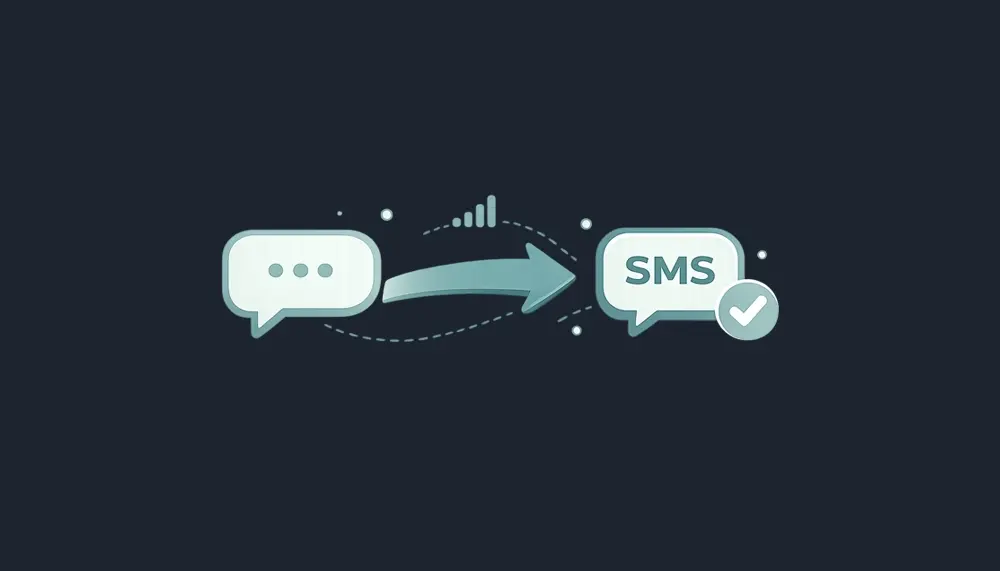
- “sent as sms” means your text message used standard SMS, not RCS, iMessage, or an internet chat app.
- SMS stands for short message service, the basic texting system supported by nearly every phone and carrier.
- It usually happens when mobile data, wi fi, rich communication services, or the recipient’s device can’t support richer chat.
- It’s usually not an error. It means your phone found a simpler path to send messages.
- Vouch Mobile plans include unlimited SMS/MMS, so SMS fallback doesn’t add extra cost with us.
Simple Definition: What Does “Sent as SMS” Actually Mean?
“Sent as SMS” means a message was delivered using the standard text messaging protocol known as SMS (Short Message Service), supported by nearly every phone and carrier globally. SMS is the original texting technology mobile phones have used since the early 1990s.
When your phone shows sent as sms, it used cellular networks through your mobile carrier network, not an internet-based messaging app. RCS on Android, iMessage on iPhone, or facebook messenger may fall back to SMS if data drops or the intended recipient uses a different carrier, device, or operating system. Cross-platform texting occurs automatically when a user of one operating system texts another because proprietary chat systems do not work between different operating systems.
How Does SMS Work Behind the Scenes?
If you’ve wondered “how does sms work,” here’s the short version: you type sms messages on your mobile device, your carrier accepts them, routes them through a short message service center, then forwards them to the recipient’s mobile network and recipient’s mobile device.
When an SMS is sent, it is first handed off to the sender’s mobile carrier, which temporarily stores the message before routing it through its Short Message Service Center (SMSC) to the recipient’s phone. SMS works without internet, mobile data, or an active data plan; it works anywhere there is cellular service.
Traditional SMS sends short text messages, usually limited to 160 characters, though modern networks may stitch longer messages together. Delivery reports can show delivery status, but “sent” only means accepted by the system; “delivered” means the recipient’s device confirmed receipt, when delivery confirmation is supported.
“Sent as SMS” vs “Sent as SMS via Server”
“Sent as SMS” usually means normal sms communication: phone to carrier to recipient. “Sent as SMS via Server” means the message was routed through a server rather than being sent directly from device to device, often due to compatibility issues with advanced messaging protocols like RCS or iMessage.
You may also see sent as sms via server, sms via server, or server based sms delivery in Android or business communication tools. A messaging platform, sms server, centralized server, multiple servers, or centralized server responsible for routing may hand off message content to various mobile networks. That label usually means the message left your phone; it is not automatically a failure.
When Do Messages Get Sent as SMS Instead of Rich Chat?
Messages may be sent as SMS when there is no Wi-Fi or mobile data connection available for either the sender or recipient, preventing iMessage or RCS. If the messaging platform is temporarily unavailable due to outages or technical issues, messages may default to SMS to ensure delivery.
Messages are sent as SMS when the recipient’s device or carrier does not support rich communication formats like iMessage or RCS, requiring sms fallback for compatibility. If a contact has exhausted their monthly cellular data allowance or has account issues, they may only be able to send and receive messages via SMS until resolved.
Specific Scenarios Where You’ll See “Sent as SMS”
- An iPhone blue iMessage turns green when the recipient loses data or leaves Wi-Fi.
- Android RCS between two modern phones falls back when one person hits poor signal.
- A smartphone texts an older flip phone; that text is SMS by design.
- While roaming, SMS may still send even when apps stall.
Is “Sent as SMS” Something to Worry About?
Usually, no. Seeing a “sent as SMS” status means the system successfully sent your message, but it does not guarantee that it was delivered to the recipient, as SMS lacks built-in delivery confirmation.
SMS lacks advanced features such as typing indicators, read receipts, and high-quality media sharing found in modern chat apps. It also doesn’t prove you’re blocked. A blocked number, dead battery, full storage, weak signal, or phone being off can all affect messages, voice calls, and delivery updates.
Pros and Cons: SMS vs. Rich Communication Services (RCS / iMessage)
RCS (Rich Communication Services) and iMessage offer advanced features such as higher-resolution image sharing, read receipts, and typing indicators, which are not available with traditional SMS.
| Option | Pros | Cons |
|---|---|---|
| SMS | Universal, reliable delivery, works without data, can receive text messages on nearly every device | No rich media, limited delivery reports, no read receipts, usually no encryption |
| RCS/iMessage | Better images, typing indicators, group features, modern delivery | Needs internet, compatible phones, carrier support, and active data |
SMS is universally accessible and can reach nearly every mobile device without requiring an internet connection, while RCS and iMessage depend on internet access and compatible devices. When a message is sent via RCS or iMessage to a recipient who cannot receive it, the message typically falls back to SMS to ensure delivery.
Where Server-Based SMS Messaging Fits In
Businesses often use server based sms messaging to send sms messages at scale. This supports sms campaigns, sms marketing campaigns, sms marketing, targeted messages, promotional messages, appointment reminders, order confirmations, account updates, important notifications, and delivery updates.
Server based sms messaging helps businesses send concise messages to customers without requiring an app download. On the recipient side, these concise messages still appear as normal SMS to the recipient’s phone number.
How “Sent as SMS” Affects Cost, Data, and Delivery
SMS uses talk-and-text, not gigabytes of data. That’s why SMS functions as a reliable backup when using internet-based apps if Wi-Fi or cellular data connection is lost.
SMS is considered the most reliable messaging protocol because it can reach nearly every mobile phone and carrier globally, making it essential for time-sensitive notifications and critical alerts. SMS is often used by businesses for appointment reminders, two-factor authentication, and marketing notifications because it does not require internet access on the receiving end.
Security note: SMS lacks encryption, meaning messages are not protected from visibility within the mobile carrier network, which raises concerns about sending private data via text messages. SMS spoofing allows bad actors to send messages that appear to come from a trusted number or brand. Phishing over SMS, often called smishing, uses deceptive messages to steal sensitive data through fake links or risky prompts.
How Vouch Mobile Handles SMS on our 5G Network
All Vouch Mobile plans include unlimited SMS and MMS on a nationwide 4G LTE and 5G network, so “sent as SMS” doesn’t change your monthly price.
You can review Vouch Mobile plans, estimate savings with the Savings Calculator, or compare providers on our Compare pages. You can also check AT&T’s public coverage map for network availability in your area.
SMS, OTT Apps, and Other Ways to Send Messages
“Sent as SMS” is one path. OTT apps like WhatsApp, Signal, Telegram, and facebook messenger use data or Wi-Fi instead of SMS.
OTT apps can offer encryption and rich features, but both people usually need the same app. SMS can reach nearly any recipient with a mobile signal. Vouch plans include 5G access and hotspot on eligible plans, helping data-based apps work better on the go.
Practical Tips If Your Messages Keep Sending as SMS
Check these first:
- Turn mobile data and Wi-Fi back on.
- Confirm RCS or iMessage is enabled in your messaging settings.
- Update your messaging app and phone software.
- Ask whether the recipient uses an older phone or unsupported carrier.
- If coverage is the issue, consider a provider with stronger 4G/5G access where you live and work.
Why “Sent as SMS” Still Matters for Business Communication
SMS still matters because businesses need message delivery that does not depend on app logins. Businesses use SMS for appointment reminders, order confirmations, two-factor codes, payment alerts, account updates, and important notifications.
But businesses should avoid sending sensitive data in plain SMS. A strong communication strategy uses SMS for reach, while reserving private details for secure portals.
How Reliable SMS Helps People Who Rely on Their Phone
A delivery driver may receive shift changes, customer messages, and route updates by SMS when data is spotty. Seniors may prefer simple texts and voice calls over advanced chat features.
Vouch Mobile’s no-credit-check, contract-free plans are built for people who need dependable texting, data, and hotspot without extra hoops. Plans start at $25/mo with annual billing. Prices include taxes and fees. Available while offer lasts. Powered by Reach Mobile on AT&T’s network.
FAQs: “Sent as SMS” and Your Phone Plan
Does “sent as SMS” mean I’ve been blocked?
No. It usually reflects how the message was sent. Blocking is only one possible cause, and calls going to voicemail or missing delivery reports can also happen for other reasons.
Does “sent as SMS” cost more than regular texts?
No. It is a regular SMS text, billed like other SMS messages. With Vouch Mobile, unlimited SMS is included on all plans.
Can I stop my phone from sending messages as SMS?
Sometimes. Some apps let you disable SMS fallback, but then messages may fail when data is weak. For critical conversations, leaving fallback on is usually smarter.
Why do my messages say “sent” but not “delivered”?
“Sent” means your carrier or app accepted the message. “Delivered” means the recipient’s phone confirmed receipt, and not all carriers support that for SMS.
Will switching to Vouch Mobile change how my texts are sent?
The basics stay the same: your phone uses SMS, MMS, RCS, iMessage, or apps depending on settings and coverage. With Vouch Mobile, unlimited talk and text are included, so visit our Plans page to see how much you can save without contracts or credit checks.
SMS, OTT Apps, and Other Ways to Send Messages
“Sent as SMS” is one path. OTT apps like WhatsApp, Signal, Telegram, and facebook messenger use data or Wi-Fi instead of SMS.
OTT apps can offer encryption and rich features, but both people usually need the same app. SMS can reach nearly any recipient with a mobile signal. Vouch plans include 5G access and hotspot on eligible plans, helping data-based apps work better on the go.
Practical Tips If Your Messages Keep Sending as SMS
Check these first:
- Turn mobile data and Wi-Fi back on.
- Confirm RCS or iMessage is enabled in your messaging settings.
- Update your messaging app and phone software.
- Ask whether the recipient uses an older phone or unsupported carrier.
- If coverage is the issue, consider a provider with stronger 4G/5G access where you live and work.
Why “Sent as SMS” Still Matters for Business Communication
SMS still matters because businesses need message delivery that does not depend on app logins. Businesses use SMS for appointment reminders, order confirmations, two-factor codes, payment alerts, account updates, and important notifications.
But businesses should avoid sending sensitive data in plain SMS. A strong communication strategy uses SMS for reach, while reserving private details for secure portals.
How Reliable SMS Helps People Who Rely on Their Phone
A delivery driver may receive shift changes, customer messages, and route updates by SMS when data is spotty. Seniors may prefer simple texts and voice calls over advanced chat features.
Vouch Mobile’s no-credit-check, contract-free plans are built for people who need dependable texting, data, and hotspot without extra hoops. Plans start at $25/mo with annual billing. Prices include taxes and fees. Available while offer lasts. Powered by Reach Mobile on AT&T’s network.
FAQs: “Sent as SMS” and Your Phone Plan
Does “sent as SMS” mean I’ve been blocked?
No. It usually reflects how the message was sent. Blocking is only one possible cause, and calls going to voicemail or missing delivery reports can also happen for other reasons.
Does “sent as SMS” cost more than regular texts?
No. It is a regular SMS text, billed like other SMS messages. With Vouch Mobile, unlimited SMS is included on all plans.
Can I stop my phone from sending messages as SMS?
Sometimes. Some apps let you disable SMS fallback, but then messages may fail when data is weak. For critical conversations, leaving fallback on is usually smarter.
Why do my messages say “sent” but not “delivered”?
“Sent” means your carrier or app accepted the message. “Delivered” means the recipient’s phone confirmed receipt, and not all carriers support that for SMS.
Will switching to Vouch Mobile change how my texts are sent?
The basics stay the same: your phone uses SMS, MMS, RCS, iMessage, or apps depending on settings and coverage. With Vouch Mobile, unlimited talk and text are included, so visit our Plans page to see how much you can save without contracts or credit checks.