Your phone works almost anywhere you go, and most people never stop to ask why. The answer is mobile data, the wireless internet connection that carries everything from group texts to video calls when you are nowhere near a wi fi network. This guide breaks down how it works, what burns through it fastest, and how to take control of your monthly usage.
Key Takeaways
- Mobile data is internet access delivered over a cellular network of cell towers, which keeps your phone online without a wi fi connection.
- Video is the biggest driver of data usage on the planet, accounting for roughly 75 percent of all mobile data traffic at the end of 2025.1
- The global average smartphone used about 22 GB of mobile data per month at the end of 2025, and that figure is forecast to reach 42 GB by 2031.2
- Streaming quality changes everything. High definition video can use up to 3 GB per hour, while standard definition drops that to about 1 GB.3
- You can cut mobile data usage fast by turning on data saver, choosing to limit background data, and downloading media over wi fi.
What Is Mobile Data, Explained Without the Jargon
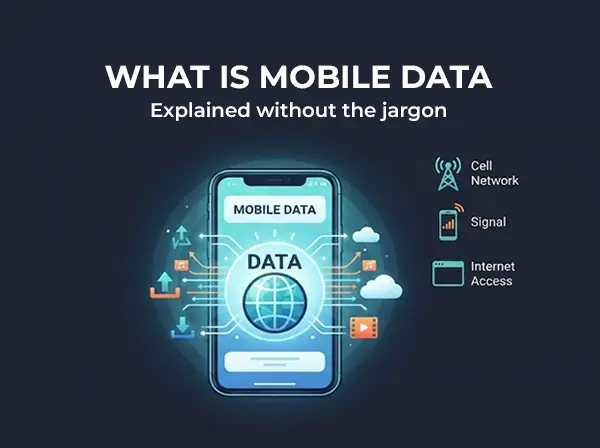
Mobile data is internet access delivered to your phone through a cellular network instead of a wired or wi fi connection. When you open Instagram on a bus or check Google Maps in a parking lot, you are using mobile data.
Everything you send and receive online travels as digital data. A photo, a text, a map tile, or a song gets broken into small packets, sent through the air to a nearby cell tower, and reassembled on the other end. Your mobile data plan simply pays for the volume of those packets.
Because 98 percent of American adults own a cell phone and 91 percent own a smartphone, this connection has become the default way most people access the internet.4 Understanding what is mobile data helps you stop guessing about your bill and start matching your plan to your real habits.
How Mobile Data Works Behind the Scenes
Your phone constantly talks to a vast network of cell towers. Each tower covers a slice of geography, and as you move, your phone hands off from one tower to the next without you noticing.
When you tap a link, your phone sends a request to the nearest tower. That request travels through your provider’s core network, out to the wider internet, and back again. The whole round trip usually finishes in a fraction of a second.
Speed depends on which generation of technology the tower supports and how many people are using it at once. 5G is typically faster than 4G LTE, though real world speeds vary depending on distance from the tower, building materials, and time of day. During busy hours, some plans see temporary deprioritization, which means slower speeds until traffic clears.
How Mobile Data Differs From a Wi-Fi Connection
The way mobile data differs from wi fi comes down to who owns the pipe. Wi fi networks run on a router connected to a home or business internet line, and coverage stops at the edge of the building. Mobile data travels over cell towers spread across entire states.
That difference has a practical side. Wi fi is usually free once you are on it and has no data cap tied to your phone plan. Mobile data goes with you everywhere but draws from your monthly mobile data allowance.
Cellular Data vs. Wi-Fi: Which One Your Phone Picks
Phones prefer wi fi whenever a saved network is in range, which saves your mobile data for the moments you are away. The moment you walk out the door, the handoff to cellular data happens automatically, and most people never see it.
You can override this. On any modern phone you can disable mobile data entirely and force wi fi only, which is useful near the end of a billing cycle on a limited plan.
The tradeoff is reliability. Public wi fi in cafes and airports can be slow or crowded, so cellular data is often the better choice for video calls or anything where a dropped connection costs you time.
How Much Data Do Everyday Activities Actually Use?
Numbers make this concrete. Here is roughly what common tasks pull from your allowance:
- Web browsing and email: 10 to 50 MB per hour
- Social media scrolling: 100 to 200 MB per hour
- Streaming music at standard quality: about 70 MB per hour
- Standard definition video: about 1 GB per hour3
- High definition video: up to 3 GB per hour3
- Video calls: 500 MB to 1.5 GB per hour
The FCC lists high definition streaming among the most bandwidth hungry things people do online, needing far more throughput than browsing or email.5 That gap between reading and watching explains almost every surprise on a data usage report.
How Many Hours of Streaming Fits in One Gigabyte?
On its default setting, Netflix says one gigabyte covers roughly four hours of viewing. Switch to its save data option and the same gigabyte stretches to about six hours, while the maximum quality setting can burn a gigabyte every 20 minutes.3
Ask yourself how many hours of video you watch off wi fi each week. Two hours a day at high definition puts you near 180 GB a month, which shows how much data a single habit can consume.
Data Intensive Apps That Drain Your Allowance Fastest
Streaming video sits at the top of every list. Global figures back this up, with video making up around 75 percent of all mobile data traffic worldwide.1
Other data intensive apps include online gaming with live updates, cloud services that back up photos automatically, and social media apps with autoplay video turned on. Downloading large files, from podcast episodes to software updates, also counts.
Google Maps is lighter than most people expect, using a few megabytes of mobile data for a typical trip. Streaming music is similarly modest unless you have quality set to its highest tier.
Background Data: The Quiet Drain You Never See
Apps refresh even when they are closed. Email checks for new messages, weather widgets update, and photo apps sync in the background. This background data adds up over a month without a single tap from you, and it can quietly account for a noticeable share of your mobile data usage.
Both iPhone and Android let you limit background data per app. Turning it off for a handful of apps you rarely open is one of the fastest ways to reduce mobile data usage without changing anything about your daily routine.
How to Check Data Usage on Your Cell Phone
You cannot manage what you cannot see. Both major phone platforms show cell phone data totals broken down by app, which makes it easy to spot the culprit.
Finding Cell Phone Data Totals on iPhone
Go to settings, then Cellular, where iPhone groups every cellular data figure in one place. Scroll past the toggles and you will see a running total plus a per app breakdown. Reset the statistics at the start of each billing cycle so your mobile data total actually means something.
Finding Data Usage Totals on Android
Open your phone’s settings, tap Network and Internet, then tap data usage. Android also lets you set a data limit and a data usage warning threshold, so your phone alerts you before you cross a certain threshold.
How to Enable Data Saver and Stretch Your Allowance
Every phone ships with a built in way to conserve data. On Android the feature is called Data Saver. On iPhone, Apple’s Low Data Mode pauses automatic updates and background tasks whenever you are not on wi fi.6
To enable data saver on Android, go to settings, select Network and Internet, then Data Saver. On iPhone, open Settings, tap Cellular, then Cellular Data Options, and turn on Low Data Mode. On 5G phones that toggle sits one level deeper under Data Mode.
Streaming apps have their own mobile data controls too. Lowering video quality inside the app is often more effective than any system wide setting, because streaming quality is the single largest variable in your monthly total.
Conserve Data With Wi-Fi and Offline Downloads
Download media before you leave home so nothing pulls from mobile data later. Playlists, podcast episodes, and offline maps all use zero mobile data once they are on your device.
Using wi fi for large downloads is the simplest habit that works. Software updates, cloud photo backups, and anything over a few hundred megabytes belong on a wi fi connection.
Sharing Mobile Data With Other Devices
Your phone can share its connection with other devices through a mobile hotspot. Laptops, tablets, and e-readers all pull from the same mobile data allowance, so tethering a laptop for an afternoon of work can use more mobile data than a week of phone browsing.
Households with several mobile devices should count every screen. Two mobile devices streaming at once doubles the draw, and cellular data used by a connected laptop tends to run higher than the phone version of the same site because desktop browsers load full resolution images.
Choosing Between Data Plans That Fit Real Life
Data plans generally come in two shapes. Capped plans give you a set number of gigabytes and either charge overage fees or cut you off. An unlimited plan removes the hard data limit but usually reduces you to slower speeds after a certain amount of data each month.
Match the plan to your real usage patterns rather than a worst case fear, and be honest about how much data you use when you are away from home. If you are on wi fi at home and work, a modest allowance may be plenty. If you use your phone as your only internet access, or you share it with other mobile devices, unlimited makes more sense.
Price matters as much as size. Many people pay for capacity they never touch, which is why comparing cheap unlimited plans is worth an hour of your time. Households running several lines can also review family plan options before renewing anything.
The Bottom Line on Mobile Data
Mobile data is simply internet access delivered by cell towers to your mobile devices, and the amount you need depends almost entirely on how much video you watch away from wi fi. Check your usage patterns for one month, turn on data saver, and you will know exactly what size plan fits.
Vouch Mobile builds plans around that reality with unlimited talk, text, and data, no contracts, and no credit check. Check coverage in your area, see what a typical monthly phone bill really costs, and then pick your plan to get started.
About Vouch Mobile
Vouch Mobile is a modern wireless provider built for people who want premium coverage without the premium price or complexity.
Powered by the same major U.S. networks as the big carriers, Vouch delivers simple, transparent plans with no hidden fees, no contracts, and a seamless digital experience that lets you switch in minutes and keep your phone and number.
Whether you’re looking to save money or just want a more straightforward way to stay connected, Vouch Mobile makes wireless make sense again. Ready to get started? Pick Your Plan:
Frequently Asked Questions
What is mobile data used for?
Mobile data powers every online task on your phone when wi fi is unavailable, including web browsing, streaming video, social media apps, video calls, and navigation.
How much mobile data does the average person use?
The global average was about 22 GB per month per smartphone at the end of 2025. Heavy video watchers can easily double that figure.
Does turning off mobile data save money?
On a capped plan, yes, because you avoid overage charges. On an unlimited plan it mainly helps you stay above the throttling threshold that triggers slower speeds.
Can I use mobile data and wi fi at the same time?
Your phone uses one internet connection at a time and prefers wi fi when available. Some phones briefly use both to keep a session alive during a handoff.
References
- https://www.ericsson.com/en/reports-and-papers/mobility-report/dataforecasts/mobile-traffic-update
- https://www.ericsson.com/en/reports-and-papers/mobility-report/dataforecasts/mobile-traffic-forecast
- https://help.netflix.com/en/node/87
- https://www.pewresearch.org/internet/fact-sheet/mobile/
- https://www.fcc.gov/consumers/guides/broadband-speed-guide
- https://support.apple.com/en-us/102433