
Whether you work from a home office, a coffee shop, or a co-working space across town, your phone plan is no longer just a communication tool. It’s your backup internet, your video conferencing lifeline, and your primary connection to everything that keeps your workday running.
Key Takeaways
- Remote workers need plans with robust mobile hotspot allowances to handle video conferencing, file sharing, and backup internet needs.
- High speed data quality matters as much as price: look for plans with prioritized data and generous hotspot caps before network congestion slows you down.
- The best plans offer month-to-month flexibility, no credit check, and transparent pricing so your wireless costs stay predictable.
- HD video calls consume approximately 1.5 to 2.5 GB per hour over a hotspot connection, so knowing your actual data needs prevents unpleasant surprises.1
- Vouch Mobile delivers unlimited data on AT&T’s 5G network starting at $25/month with no contracts and 20GB mobile hotspot data on the Elite plan.
Why Mobile Connectivity Has Become a Remote Work Essential
Remote work isn’t a trend. It’s the new baseline for millions of professionals. As of March 2026, 22.6% of U.S. employees worked remotely at least partially, and that share has held steady for several years.3 Even with high-profile return-to-office mandates making headlines, the majority of knowledge workers still spend meaningful time outside the office each week.
That shift has changed what a phone plan needs to deliver. When you worked in an office, cellular data was for scrolling after hours. Now your phone is your backup internet router when home broadband fails. It’s the hotspot you fire up at a co-working space before a 9 a.m. video call. It’s the connection you rely on during a power outage or a router restart.
The June 2025 issue of the telecom firm Ericsson’s Mobility Report estimated average monthly data usage per smartphone across North America at 22 GB in 2024, up from 19 GB in 2023. Some unlimited plans offer no ‘priority data’, so your connection can slow down because of network congestion even if you haven’t used much data yourself.
Around 40% of employees have upgraded their personal internet plans to support video calls and cloud-based workflows since the shift to remote work.4 But even the best home internet setup has gaps. That’s where the right mobile plan fills in.
What Remote Workers Actually Need From a Phone Plan
The Case for Unlimited Data Plans
If you’re running a remote work setup, stop thinking about data in megabytes. Video conferencing, cloud sync, and collaboration tools mean data usage adds up fast. Unlimited data plans remove the mental overhead of watching your data counter and let you focus on your work.
Unlimited data matters most when your home internet fails. That moment, five minutes before a client call, is when you need to fire up your mobile hotspot without worrying about overage charges. Having that safety net is simply part of a professional remote work setup.
How Much Data Does Remote Work Really Use?
This is one of the most important questions remote employees face when choosing a plan. The answer depends heavily on how you work.
Video conferencing is the biggest data drain. HD video calls consume approximately 1.5 to 3 GB per hour depending on the platform and quality settings, while standard definition reduces that to around 500 MB per hour.6 Audio-only calls use far less. If you spend two hours per day on video calls over a hotspot connection, you could easily burn through 20 to 30 GB monthly on calls alone.
File sharing is the next major contributor. Uploading presentations, syncing project folders, and transferring files all pull from your data allocation. Cloud backup tools like Google Drive or Dropbox often sync continuously in the background without you noticing.
Light remote work, emails, task management, and occasional browsing, typically uses less than 5 GB per month over a mobile connection. Heavy remote work with full days over a hotspot and frequent video conferencing can push well past 50 GB monthly.
The best phone plans for remote workers prioritize high-speed data, large mobile hotspot allocations for tethering, and reliable 5G coverage.
Once you understand how much data your work actually demands, you can match it to the right plan.
Why Mobile Hotspot Is Non-Negotiable
For remote workers, mobile hotspot capability transforms a phone plan from a nice-to-have into genuine business infrastructure. A mobile hotspot lets you share your phone’s cellular data connection with your laptop, tablet, or other devices over Wi-Fi.
This matters in several real-world scenarios:
- Your home internet goes down before a presentation. Your hotspot keeps you online.
- You’re working from a coffee shop with unreliable public Wi-Fi. Your hotspot gives you a private, secure connection.
- You travel for client meetings and need reliable internet at a hotel or airport. Your hotspot handles it without requiring you to trust unfamiliar networks.
- You’re a digital nomad who moves between cities. Your hotspot becomes your primary connection between fixed-location setups.
Not all mobile hotspot plans are equal. Some plans offer a generous block of high speed data before speeds slow down. Others give you slower speeds from the start, or limit connected devices. Look for plans offering at least 10 GB of high speed hotspot data for occasional use, or 20 GB and above if you rely heavily on your hotspot for backup internet.
High Speed Data and What “Priority” Actually Means
Every major carrier talks about high speed data and generous data allowances. But the fine print often tells a different story. Network congestion is a real factor: during peak hours, many carriers deprioritize certain plan tiers, meaning your high speed data connection can slow down exactly when other users are most active.
This matters for remote workers because peak hours for the network often overlap with core business hours. A hotspot running at reduced speeds during your 10 a.m. client presentation is not useful.
Look for plans that explicitly offer priority data, meaning your connection gets treated at a higher level during congestion. That priority distinction is often the difference between a plan that works for remote work and one that disappoints when you actually need it most.
Evaluating Coverage Maps Before You Commit
Before selecting any plan, check coverage maps for every location where you regularly work. National coverage statistics tell part of the story, but your experience at your home address and regular work spots matters more.
When reviewing coverage maps:
- Check your home address specifically, not just your zip code.
- Check co-working spaces or coffee shops you use regularly.
- If you travel for work, check coverage in common destinations.
- Look for extended coverage areas, which indicate signal roaming rather than native network access.
AT&T’s network, which Vouch Mobile runs on, provides strong residential and suburban coverage. For remote workers in lower-density areas where T-Mobile’s signal may thin out, this difference is meaningful. Check Vouch Mobile’s coverage map for your specific area before signing up.
Top Phone Plans for Remote Workers in 2026
Vouch Mobile Elite: Best Overall for Remote Workers
For most remote professionals, Vouch Mobile’s Elite plan offers the strongest combination of features and value. At $35/month (or $30/month with annual billing) on AT&T’s nationwide 5G network, it delivers everything a remote work setup requires with no contract, credit check, or hidden fees.
What you get:
- Unlimited data on AT&T’s 5G network
- 20GB mobile hotspot at full high speed data rates
- Priority data during network congestion
- Unlimited talk and unlimited calls
- No contract, month-to-month billing
- No credit check, everyone approved
The 20GB hotspot allocation handles serious remote work demands. That’s enough for multiple workdays over a hotspot, several hours of video conferencing, and ongoing cloud sync without running out of high speed data mid-month.
AT&T’s network is particularly well-suited for work-from-home professionals. Its residential coverage is strong, meaning your connection is reliable not just downtown but in the neighborhoods and suburbs where most people actually live and work.
Vouch Mobile Premium: Best for Light Hotspot Users
If your remote work setup primarily relies on home broadband and you only need hotspot access as occasional backup, the Premium plan at $30/month (or $25/month annually) covers that use case efficiently.
What you get:
- Unlimited data on AT&T’s 5G network
- 5GB mobile hotspot allocation
- Unlimited talk, text, and data
- No contract, no credit check
Five gigabytes of high speed hotspot data is more than sufficient for occasional internet outage coverage. If your broadband goes down once or twice a month, the Premium plan handles that without paying for unused capacity.
Mint Mobile: Best Budget Option for Prepaid-Comfortable Users
Mint Mobile offers competitive pricing on T-Mobile’s network, with unlimited plans available around $30/month when you commit to 12 months of service.
What to know:
- Requires 3, 6, or 12-month prepayment upfront
- Runs on T-Mobile’s network, which can be thinner in rural and some suburban areas
- No month-to-month option at the lowest advertised prices
- Hotspot included, though high speed data limits apply depending on plan tier
Mint Mobile is worth considering if you can commit to upfront billing and your work locations have strong T-Mobile coverage. For remote workers in rural areas or those who need month-to-month flexibility, Mint’s prepayment requirement and T-Mobile’s coverage gaps are real limitations. Check the Vouch vs. Mint Mobile comparison to see how the plans stack up side by side.
Google Fi: Best for International Travel and Multi-Network Coverage
Google Fi operates across T-Mobile’s network, US Cellular, and Wi-Fi, switching automatically based on signal quality. It also includes international roaming in over 200 countries, making it a strong option for remote professionals who travel internationally.
What to know:
- Truly unlimited plan starts at $65/month, significantly more than comparable options
- International plan coverage and international roaming charges vary by destination
- Requires compatible phones for full multi-network functionality
- Pay-per-GB plans become expensive for heavy data users
Google Fi’s international travel capabilities are genuinely strong. If international roaming and global coverage are central to your remote work needs, the higher monthly cost may be justified. For remote workers who stay domestic and need the best value for high speed data and hotspot access, the price gap is hard to justify.
Google Voice, Google’s separate voice-over-IP service, is sometimes confused with Google Fi. Google Voice is a free internet-based calling and SMS messaging tool useful for remote professionals who want a secondary work number without a separate plan. It’s worth knowing about if you want to keep work and personal calls on separate numbers.
US Mobile: Best for Network Flexibility
US Mobile offers customizable plans across Verizon’s network and T-Mobile’s network. Its Unlimited Premium plan includes up to 50GB of high speed hotspot data and priority data on Verizon’s network.
What to know:
- Plans require more research than simpler two-plan setups
- Premium plans with serious hotspot data run $44/month and above
- Good for remote workers who specifically need Verizon’s network coverage
For those primarily on AT&T coverage or who want simple, transparent pricing, Vouch Mobile’s structure is more straightforward.
Remote Worker Phone Plan Comparison
| Plan | Monthly Price | Network | Hotspot Data | Priority Data | Contract |
|---|---|---|---|---|---|
| Vouch Mobile Elite | $30-35/mo | AT&T 5G | 20GB high speed | Yes | No |
| Vouch Mobile Premium | $25-30/mo | AT&T 5G | 5GB high speed | Yes | No |
| Mint Mobile Unlimited | ~$30/mo | T-Mobile | 5GB high speed | Limited | Prepay |
| Google Fi Unlimited | $65/mo | Multi-network | Included | Yes | No |
| US Mobile Premium | $44/mo | Verizon/T-Mobile | 50GB high speed | Yes | No |
Vouch Mobile pricing reflects annual billing ($25-30/mo) and monthly billing ($30-35/mo). Prices include taxes and fees. Powered by Reach Mobile on AT&T’s network.
How Much Data Do Remote Workers Need?
Light Remote Work: Under 10 GB of Hotspot Data per Month
If you primarily work from home broadband and use your hotspot only occasionally, your monthly hotspot consumption is modest. Light use includes checking email on the go, short video calls when home Wi-Fi is unavailable, and brief backup coverage during outages. The Vouch Mobile Premium plan’s 5GB mobile hotspot covers this comfortably.
Moderate Remote Work: 10 to 20 GB per Month
Remote workers who use their hotspot regularly but not as a primary internet connection fall here. Moderate use includes two to four hours of video conferencing over a hotspot per week, regular file sharing, and working from coffee shops or co-working spaces several days per week. The Vouch Mobile Elite plan’s 20GB mobile hotspot allocation is built for this profile.
Heavy Remote Work: 20+ GB per Month
Digital nomad professionals, frequent travelers, or remote workers without reliable home broadband may use significantly more. At this level, look for plans with 20GB or more of high speed data and consider the highest available priority data tier. Full workdays over a hotspot multiple times per week, multiple devices connected simultaneously, and intensive video conferencing with multiple participants all push usage well above 20GB monthly.
Mobile Connectivity for the Digital Nomad
The digital nomad has the most demanding mobile connectivity requirements of any remote worker profile. Without a fixed home base, your hotspot is often your primary internet connection rather than a backup.
Building Your Digital Nomad Connectivity Stack
Smart digital nomad professionals build layered connectivity. Your primary layer is a domestic plan with generous high speed hotspot allocation for daily use. Your secondary layer covers international travel, whether via a plan with global roaming, a carrier like Google Fi with built-in international plan coverage, or local SIMs at each destination. Your tertiary layer is a tool like Google Voice, which maintains a stable secondary number that doesn’t change when you switch plans or use a local SIM for international roaming.
International Travel Considerations
International roaming charges are a real cost for digital nomad workers who travel frequently. Google Fi includes international data in most countries, though speeds may be limited. Most prepaid plans and MVNOs require separate international plan add-ons or local SIMs for coverage abroad.
For remote professionals based primarily in the U.S. who travel internationally a few times per year, purchasing a local eSIM at your destination is often more cost-effective than paying for permanent international plan coverage you rarely use.
Hotspot Security for Remote Workers
Working over a mobile hotspot is more secure than using public Wi-Fi, but best practices still apply. Remote workers regularly handle sensitive data: client information, proprietary business data, and financial records. Using a hotspot creates a private, encrypted connection rather than relying on a shared public network.
Additional steps to protect sensitive data when using your hotspot:
- Use a strong, unique password for your hotspot network and change it periodically.
- Turn off your hotspot when not actively using it.
- Consider a VPN for an additional layer of encryption when handling sensitive data.
- Disconnect unused multiple devices from your hotspot to reduce exposure.
The Federal Communications Commission recommends that remote employees working with sensitive data use VPN connections and avoid unsecured networks.2 A hotspot provides far better baseline security than open café Wi-Fi, but a VPN layer is smart for anyone handling confidential business information.
Managing Multiple Devices on One Hotspot
Remote workers often connect multiple devices to a single hotspot: a work laptop, a personal phone, and a tablet. Each device pulls from your hotspot data independently. Disable automatic updates on devices tethered to your hotspot. Background operating system and app updates can consume gigabytes of high speed data without visible activity. Schedule large downloads for when you’re on home Wi-Fi.
Video Conferencing, File Sharing, and Your Data Budget
Video Conferencing Data Usage
HD video calls on Zoom, Teams, Meet, or FaceTime use roughly 810 MB to 2.5 GB per hour.7 If you participate in back-to-back calls over your hotspot, a single busy meeting day can consume 8 to 10 GB without you realizing it.
Practical ways to reduce video conferencing data usage over your hotspot:
- Switch video quality to Standard Definition when on mobile data.
- Use audio-only mode for calls where video isn’t essential.
- Disable “gallery view” showing multiple participant feeds when hotspot data is limited.
- Turn off your own camera when you’re primarily listening.
These adjustments can reduce data consumption by 50 to 70% without significantly affecting meeting productivity.
File Sharing and Cloud Sync
File sharing platforms like Google Drive, Dropbox, and OneDrive sync continuously in the background. On home Wi-Fi, this is invisible. Over a mobile hotspot, it quietly drains your high speed data allocation. Before switching to hotspot data for the day, pause automatic cloud sync on your laptop, complete large file uploads and downloads while on home Wi-Fi, and use offline modes in collaboration tools when available.
Prepaid vs. Postpaid: Why Remote Workers Should Make the Switch
Postpaid plans from major carriers come with credit checks, long-term commitments, and significantly higher monthly costs. For remote workers whose income and job situations can shift, committing to a $70-per-month postpaid plan is often an unnecessary risk.
Modern prepaid plans from MVNOs offer the same AT&T or T-Mobile network coverage at $20 to $40 less per month. The prepaid vs. postpaid comparison for remote workers almost always favors prepaid. No credit check, no exit fees, and the same network coverage add up to real savings.
For a remote worker spending $65 to $85 per month on a postpaid plan, switching to a prepaid plan with equivalent coverage can save $480 or more annually. To save money on your phone bill as a remote professional, this is the highest-impact change you can make.
Key Things to Check Before You Sign Up
Throttling Thresholds
Many plans include a data threshold above which speeds are reduced during network congestion. Know your plan’s priority data limit before you hit it. Some plans reduce speeds after 30 GB. Others maintain priority through 50 or 100 GB.
Hotspot Speed Caps
Some plans offer unlimited hotspot but at severely reduced speeds. A 5 Mbps cap on hotspot data is enough for light browsing but won’t support HD video conferencing well. Confirm whether the plan offers full-speed or speed-capped hotspot data before signing up.
International Plan Details
If you travel internationally for work, confirm exactly what your plan includes. Many prepaid plans charge significant international roaming charges for data use outside the U.S. Check whether international roaming, data, and SMS messaging are included or require add-ons.
Compatible Phones
Most prepaid plans require unlocked compatible phones. Before switching, confirm your phone is compatible using a carrier’s IMEI checker. Vouch Mobile’s phone compatibility checker makes this simple. If your phone isn’t compatible, check the top unlocked phones for prepaid plans for options that work on AT&T’s network.
Setting Up Your Remote Work Mobile Connectivity: A Practical Checklist
Before You Switch Plans
- Check coverage maps for your home address and regular work locations.
- Estimate your monthly hotspot data usage based on your typical video conferencing and file sharing habits.
- Confirm your phone is unlocked and compatible with the new carrier’s network.
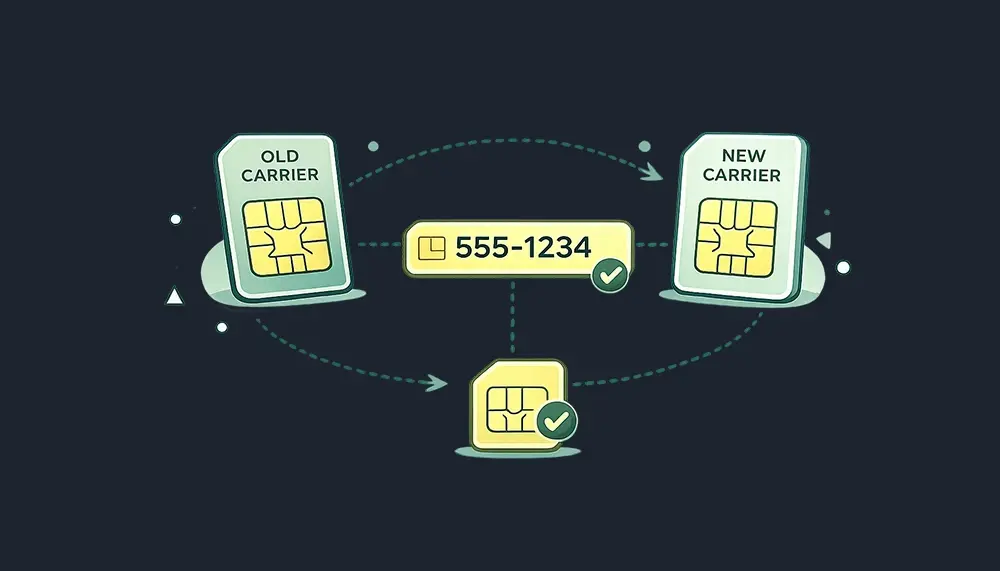
- Note your account number and PIN from your current carrier for porting your number.
After You Switch
- Test your hotspot connection at home and at your regular work locations.
- Set a strong password for your hotspot network.
- Turn off automatic background updates on devices you tether to your hotspot.
- Set a data usage notification in your phone settings to alert you before you hit your high speed data threshold.
- Test your Wi-Fi calling setup for locations with weak indoor cellular signal.
For a detailed walkthrough of number porting, see the phone number porting guide.
Can Your Employer Help Cover Your Phone Bill?
Many employers offer stipends for remote employees who use personal phones for work. Between 30 and 40% of companies now provide allowances for home office equipment or internet costs, and phone reimbursements often fall under the same policy.5
If you haven’t asked your employer about phone bill reimbursement, it’s worth a conversation with HR. Even partial reimbursement meaningfully reduces your annual spend. Small business owners who use their phones primarily for work may also qualify for a business deduction on a portion of their wireless costs.
For gig workers and independent contractors, the best phone plans for gig workers guide covers additional cost strategies relevant to independent professionals.
Why AT&T’s Network Is a Smart Choice for Remote Workers
Not all plans are equal when it comes to where they work. Network quality for remote employees often comes down to residential and suburban coverage, where most remote work actually happens.
AT&T’s network provides strong coverage in residential areas, smaller cities, and suburbs where many remote workers live. Over 32.6 million Americans work remotely, and many of them are in exactly the suburban and exurban areas where AT&T’s coverage advantage matters most.4
Vouch Mobile runs on AT&T’s full nationwide 5G network via Reach Mobile. That means the same towers, same speeds, and same 5G access as AT&T’s own retail plans, at a fraction of the price. As an MVNO, Vouch Mobile leases AT&T’s network capacity and passes those savings directly to you.
Finding the Best Phone Plan for Your Remote Work Style
Every remote professional’s connectivity needs are different. The best phone plan for a freelance designer working from a fixed home studio differs significantly from what a consultant who splits time between three cities needs. Here’s how to match your remote work style to the right plan.
For the Work-From-Home Professional
If you work from home the majority of the time and rarely travel, your priorities are strong residential 5G coverage and reliable hotspot access for outage backup. You don’t need heavy international plan capabilities or the highest hotspot data tier.
For this profile, the Vouch Mobile Premium plan at $25/month annually delivers exactly what you need. Five gigabytes of high speed hotspot data covers the average home internet outage scenario comfortably, and AT&T’s residential coverage means your signal is strong where you actually spend your workdays.
The best mobile plans for work-from-home professionals prioritize residential signal strength over urban density. Check Vouch Mobile’s coverage map for your specific suburb or neighborhood before switching.
For the Hybrid Remote Worker
Hybrid remote workers split time between a home office, a corporate office, and third places like coffee shops or co-working spaces. For this group, mobile connectivity needs to perform across multiple environments.
The ideal plan here offers reliable high speed data in both suburban and urban settings, enough mobile hotspot data to handle a full co-working day without throttling, and Wi-Fi calling for indoor locations with spotty signal. Vouch Mobile Elite covers all three: 20GB mobile hotspot data, priority high speed data on AT&T’s 5G network, and Wi-Fi calling included.
For the Traveling Remote Professional
Remote employees who travel regularly for client meetings, conferences, or collaborative work sessions need robust mobile connectivity that works beyond their home metro area. AT&T’s network offers broad coverage across rural interstates and smaller cities, which matters when you’re driving between meetings in less-connected areas.
For domestic travel, the Vouch Mobile Elite plan’s 20GB high speed hotspot data keeps you productive in hotel lobbies, airport terminals, and client offices where Wi-Fi may be unreliable. For international travel, review your destination’s coverage options and consider a local eSIM to avoid international roaming charges.
The best phone plans for travelers guide covers international considerations in more detail for remote professionals who regularly cross borders.
For the Remote Small Business Owner
Small business owners who use their phones for everything from client calls to mobile payments to file sharing need a plan that handles serious data demands without surprising them with overage charges or throttled high speed data at inopportune moments.
Priority data access, a generous hotspot allocation, and transparent month-to-month pricing all matter. The best phone plans for small business owners guide explores additional options worth evaluating for professional use cases with more than two lines.
Conclusion: The Best Mobile Plan Is the One That Works When You Need It
Remote work puts new demands on your phone plan. The right setup keeps you connected during outages, powers your hotspot through full workdays, and doesn’t surprise you with throttled high speed data right before a client presentation.
If you’re currently paying $60 or more per month on a major carrier’s postpaid plan, you’re very likely getting equivalent network coverage at twice the price. Plans with unlimited data on AT&T’s network are available for $25 to $35 per month with no contract and no credit check.
Vouch Mobile’s Elite plan is purpose-built for how remote professionals actually work: 20GB of mobile hotspot data, priority data on AT&T’s 5G network, and the flexibility to adjust or cancel without penalty. For lighter users, the Premium plan covers you with a 5GB hotspot and all the data you need day-to-day.
Your work setup deserves a phone plan that performs. See all Vouch Mobile plans or use the data usage calculator to find the right fit for your remote work needs.
About Vouch Mobile
Vouch Mobile is a modern wireless provider built for people who want premium coverage without the premium price or complexity. Powered by the same major U.S. networks as the big carriers, Vouch delivers simple, transparent plans with no hidden fees, no contracts, and a seamless digital experience that lets you switch in minutes and keep your phone and number. Whether you’re looking to save money or just want a more straightforward way to stay connected, Vouch Mobile makes wireless make sense again. Ready to Get Started?
Frequently Asked Questions
What is the best phone plan for remote workers in 2026?
The best phone plan for most remote workers balances high speed data, mobile hotspot allocation, and reliable coverage. Vouch Mobile’s Elite plan on AT&T’s 5G network offers 20GB of high speed hotspot data and priority unlimited data at $30 to $35 per month with no contract or credit check.
How much mobile hotspot data do I need for remote work?
Light remote workers using their hotspot only as occasional backup need 5 to 10GB per month. Moderate users who frequently work from coffee shops or co-working spaces need 10 to 20GB. Heavy hotspot users relying on mobile hotspot as their primary internet need 20GB or more.
Are prepaid plans good enough for professional remote work?
Yes. Modern prepaid plans from MVNOs running on major networks offer the same coverage and high speed data quality as postpaid plans, often for $30 to $40 less per month. The only meaningful difference is the absence of device financing, which most remote workers don’t need.
Does a mobile hotspot work for video conferencing?
A mobile hotspot works well for video conferencing when you have sufficient high speed data and strong signal. HD video calls consume roughly 1.5 to 2.5 GB per hour, so a plan with at least 20GB of hotspot data supports multiple full workdays of calls over mobile data each month.
References
- https://broadbandnow.com/guides/hotspot-data-use
- https://www.fcc.gov/consumers/guides/connecting-work-home-tips-remote-workers
- https://founderreports.com/return-to-office-statistics/
- https://www.yomly.com/remote-work-statistics/
- https://www.gable.to/blog/post/work-from-home-statistics
- https://www.compareinternet.com/blog/internet-speed-for-video-calls-2026-requirements/
- https://saily.com/blog/does-hotspot-use-data/