
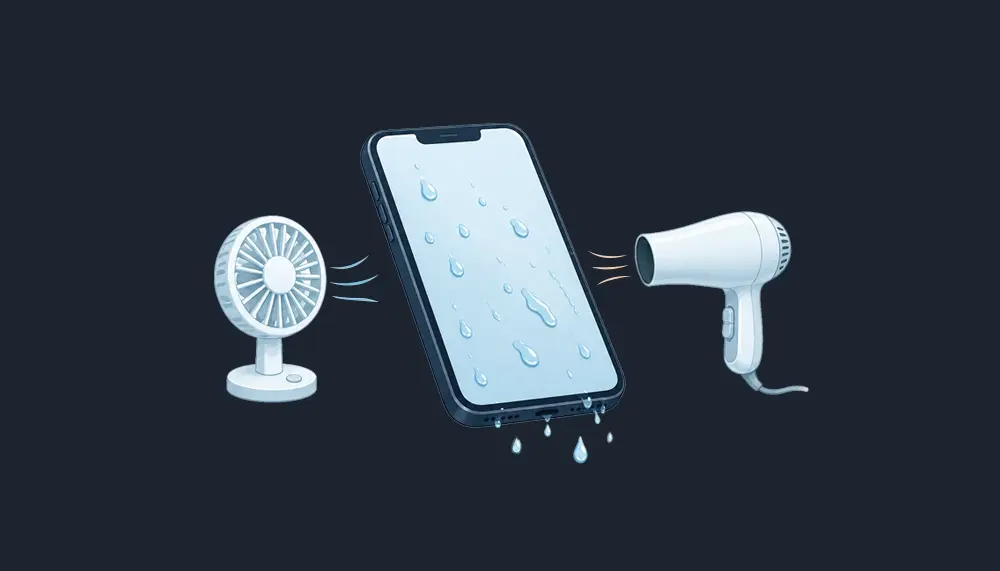
Few moments trigger panic like watching your phone slip into a sink, a pool, or worse. Knowing how to get water out of your phone quickly and correctly can often save it. This guide covers what to do, what to avoid, and when to call a professional.
Key Takeaways
- Power off your phone immediately, remove the phone case, and gently pat everything down with a soft cloth.
- Gravity and silica gel are your best friends. Skip the hair dryer, compressed air, and the rice trick entirely.
- Never charge a phone showing a liquid detected alert. A wet connector can short circuit and cause permanent damage.
- The water eject shortcut on iPhone uses low frequency sound to push water out of the phone speaker.
- Modern devices are water resistant, not waterproof, so quick action still matters every time your phone gets wet.
First Things First: Stay Calm When Your Phone Gets Wet
Accidents happen to everyone. One study suggests about 25 percent of smartphone users have damaged a device with water or another liquid.1 So stay calm. Learning how to get water out of your phone is mostly about doing a few simple things in the right order.
Speed matters most. The sooner a wet phone is powered down, the less time liquid has to reach internal components and cause electrical shorts.
Allstate Protection Plans research found water damage accounted for about 21 percent of smartphone damage incidents in a recent year.2 Plenty of those devices survived because their owners acted fast.
Step 1: Power Down and Remove the Phone Case
Turn the phone off right away. Electricity plus moisture causes a short circuit, so cutting power protects vulnerable areas inside.
Next, strip off the phone case, since trapped water loves to hide between the case and the body of the device. Remove the sim card tray, along with the memory card if your device has one, and reinsert the sim card only once everything is dry.
Then gently pat the entire phone dry with a soft cloth or a lint free cloth, paying attention to seams, buttons, the camera lens, and the camera bump, where water droplets collect.
Step 2: Gently Tap to Get Water Out of the Phone Charging Port
Once you get water in the port, gravity is your best tool. Hold your device with the charging port facing down, then gently tap it against your palm so excess water can drain.
Apple recommends this exact technique, tapping the device against your hand with the connector facing down.3 A few careful taps usually do the trick.
Do not insert cotton swabs, paper towels, or anything else into the charging port. Foreign objects can damage the pins or push water deeper into the device.
Resist the urge to blow into the port too. Blowing hard can push water further inside instead of out, turning a minor problem into further damage.
Step 3: Eject Water from Your Phone Speaker with Sound
Water behind the phone speaker grille muffles audio and slows drying. Fortunately, sound itself can help remove water from those tight spaces.
On iPhone, the popular water eject shortcut plays a low frequency sound that vibrates the speaker and pushes droplets out. It is free through the Shortcuts app.
Many Android phones can eject water with sound apps that play the same kind of low frequency sound. Hold the device speaker facing down while the tone plays so gravity helps.
These tones will not get water out of every crevice, but they clear the speaker well. Run the tone two or three times, keeping the speaker facing down, and wipe away any visible moisture with a dry cloth.
Step 4: Let Silica Gel Pull Out the Remaining Moisture
Once visible water is gone, your job is to draw out what you cannot see. This is where silica gel earns its reputation.
Silica gel packets, the little pouches found in shoe boxes and vitamin bottles, are desiccants built to absorb moisture. They work far better than rice and leave no debris behind.
Place your phone in a sealed container or a sealed bag with as many silica gel packets as you can gather, positioned near the charging port and phone speaker.
A waterlogged phone needs at least 24 to 48 hours in the container. The desiccant works gradually, and patience now prevents more moisture from lingering inside.
Step 5: Air Dry in a Well Ventilated Area
No silica gel packets on hand? Let the phone air dry in a well ventilated area with the port facing down so remaining liquid can drain.
A fan nearby can increase airflow and speed things along. Aim it so air moves across the openings rather than directly into them.
Apple advises waiting at least 5 hours after water exposure before cable charging, and a full day is safer if the phone was fully submerged.3 Several hours is the minimum, not the goal.
What the Liquid Detected Alert Really Means
Modern iPhones display this warning when moisture is present in the connector, and charging stops until it dries.4 Samsung phones show a similar water drop icon and pause cable charging to prevent water damage.5
Do not override the alert unless it is a true emergency. Charging a wet connector can corrode the pins and cause permanent damage4
If you need power right away, use a wireless charger. It bypasses the port entirely, and both Apple and Samsung support it as the safe option while things dry.5
Common Mistakes to Avoid When You Remove Water from Your Phone
The internet is full of drying advice that turns minor moisture into real water damage. Here are the biggest offenders.
Skip the Hair Dryer and Other Heat Sources
A hair dryer seems logical, but heat sources are dangerous for phone components like batteries, adhesives, and seals.
Heat guns are even worse and can warp plastics in seconds. Apple specifically warns against external heat.4 If a hair dryer is truly your only option, use the cool setting and keep it at a distance.
Put Down the Compressed Air
Compressed air seems harmless, but a strong blast can push water deeper into the phone rather than out of it. Apple warns against it for exactly that reason.4
The same logic applies when you blow air by mouth. Gentle taps and gravity move water out, while forced air tends to push water toward sensitive internal components.
The Rice Myth
The classic advice to bury a phone in uncooked rice does not hold up. Rice absorbs moisture poorly compared to silica gel, and starchy dust and grains can lodge in the charging port or headphone jack.
Apple explicitly tells users not to put a wet device in a bag of rice.3 Silica gel packets do the same job better with none of the risk.
Cotton Swabs and Isopropyl Alcohol: Handle With Care
Cotton swabs can leave fibers behind and damage the delicate pins inside a port, so use them only on external surfaces.
Isopropyl alcohol has a place in professional repair, where technicians use it to clean corrosion from a water damaged phone after disassembly. As a home remedy when a phone gets wet, isopropyl alcohol creates more risk than reward.
When Water Damage Calls for a Professional
Sometimes an easy fix is not enough. If your phone stays glitchy, will not power on, or shows water pooling inside the camera lens after days of drying, seek professional repair.
Salt water is an automatic trip to the repair shop, because it corrodes phone components fast even after everything looks dry.
A water damaged phone can hide corrosion that spreads over weeks. A technician can often save your data before internal damage becomes permanent damage.
How to Protect Your Phone Before It Gets Wet Again
Preventing water damage beats even the best rescue routine. A quality phone case with sealed ports and external grips makes drops near water far less likely.
Skip shallow pockets around pools, boats, or bathrooms, since most phones meet their fate in an ordinary fumble. A zippered pocket is cheap insurance.
Water Resistant Does Not Mean Waterproof
Most phones sold today carry an IP67 or IP68 rating, meaning they are water resistant under lab conditions. That water resistance fades as seals age, and no rating covers every scenario.
Treat a water resistant rating as a backup plan, not an invitation to take risks. A phone that survived being fully submerged once may not survive the next time it gets wet.
Conclusion: A Wet Phone Is Not a Lost Cause
Knowing how to get water out of your phone comes down to a few calm moves. Power off, remove the case, gently tap with the port facing down, eject water from the speaker, and let silica gel or open air finish the job over a few hours or days.
Skip the shortcuts that push water deeper or cook your device, and let the moisture alert clear on its own before you plug in. Handled this way, most incidents end with a phone that works like it did before the splash.
And if your phone does not make it, replacing your service should not add to the sting. Vouch Mobile plans start at $25 per month with no contracts and no credit check. Curious how carriers manage network traffic? Our plain English guide to deprioritization explains it.
About Vouch Mobile
Vouch Mobile is a modern wireless provider built for people who want premium coverage without the premium price or complexity.
Powered by the same major U.S. networks as the big carriers, Vouch delivers simple, transparent plans with no hidden fees, no contracts, and a seamless digital experience that lets you switch in minutes and keep your phone and number.
Whether you’re looking to save money or just want a more straightforward way to stay connected, Vouch Mobile makes wireless make sense again. Ready to get started? Pick Your Plan: https://vouchmobile.com/
Frequently Asked Questions
How long does it take to get water out of a phone?
Light splashes may dry in a few hours, while a soaked phone needs 24 to 48 hours in silica gel. Wait until the phone is completely dry before charging with a cable.
Does the water eject shortcut actually work?
Yes, within limits. It uses low frequency sound to eject water from the speaker, which restores muffled audio. It does not dry the charging port or the inside of the phone.
Can I charge my phone if it says liquid detected?
No. Charging a wet port can short circuit the connector and cause lasting damage. Let it dry until the alert clears, or use a wireless charger in the meantime.
Is it safe to use a hair dryer to dry a phone?
No. Hot air can damage the battery, seals, and adhesives. Air drying, gentle tapping, and silica gel packets are safer and just as effective.
References
- https://www.sciencealert.com/rice-wont-help-repair-your-water-damaged-phone-here-s-what-to-do
- https://www.claimsjournal.com/news/national/2024/03/15/322486.htm
- https://support.apple.com/en-us/108039
- https://support.apple.com/en-us/102643
- https://www.samsung.com/us/support/troubleshooting/TSG01001449/